

TOOLS

Flicon: Find your Fluent UI icons in one simple place

Flicon: Find your Fluent UI icons in one simple place

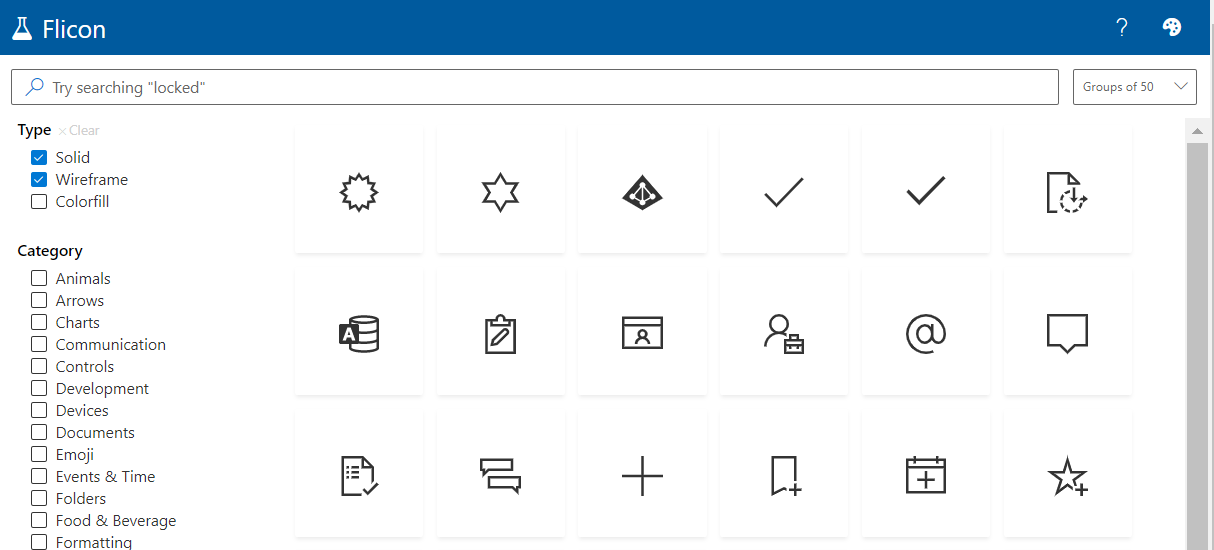
Have you ever found yourself looking for an icon, but not able to quite track down the perfect one? Between SPFx projects and the new modern list formatting capabilities in Microsoft 365, I am often looking for the icon to perfectly represent my idea. Until now, this process involved browsing through the Fluent UI website in hopes that I will stumble across one that works. Now there is a better way: Flicon.io

This new site is the brainchild of Chris Kent, Microsoft Office Development MVP and speaker extraordinaire. As a member of the Microsoft 365 PnP Core team, Chris spends a lot of time working on samples of List formatting, often using icons in those samples. I’m betting that he got tired of trying to find appropriate icons for his entertaining demos on the weekly “Sharing Is Caring” calls and decided to build a better solution. The problem with the current process is that you can only search for icons by name and often the name does not fit into the category of icon you are looking for.

Flicon.io is a tool that lets you search for icons based on categories and tags that have been associated with each icon instead of just the name. Let’s take a look at how that works.


Instant emojis in Windows 10

Instant emojis in Windows 10

So this post falls into the category of “How old where you when you found out…?” The question is answered “I was today years old” because that’s how the question usually works. This was one of those days.

I was listening to a recording of the bi-weekly “Microsoft 365 Developer SIG community call,” which happens on the 4th Thursday of every month. (The Microsoft 365 Platform community calls are all worth checking out and each of them is recorded and then uploaded to Youtube within 24 hours of the live event. Find out more info here: aka.ms/m365pnp) Part of the call was a demo by MVP Chris Kent on custom formatting in lists and he was showing how to use emojis in the formatting. Again, his demos are “must see TV,” both for content and entertainment value.

New Debug Options for SPFx (Edge)

New Debug Options for SPFx (Edge)

As the development pendulum has swung back to the “front end,” I find a majority of my time in VS Code. Back in the early days of VS Code, I missed the rich toolset of Visual Studio, but as I became more comfortable with the combination of command line and graphical interfaces in VS Code, as well as the explosion of awesome extensions for VS Code, I found myself opening Visual Studio less and less. (Honestly, when I open Visual Studio these days, it’s because the icon is next to VS Code in my taskbar and I accidentally click the wrong one. As long as it’s open, I apply the latest updates and close it back down.)

Uninstall app with PowerShell

Uninstall app with PowerShell

I recently found myself in a situation on a client’s device where I needed to remove an application, but I was not a local administrator on the device. After evaluating options (like the slow WMI client), I turned to PowerShell. PowerShell provides a simple and fast way to search for and uninstall MSI-installed applications.

Skip to the code!

After exploring a few options, including the glacially slow WMI client, I decided to turn to my old friend PowerShell. And voilà! PowerShell provides a simple and fast way to search for and remove applications.